NVMe, PCIe Lanes and SSD Speed Classes
NVMe is an open standard that defines how host software communicates with non-volatile memory over transports like PCIe. SSD speed depends on the PCIe generation and the number of lanes, as well as the form factor. Checking a drive's specification for its PCIe generation and lane count helps estimate its performance class.
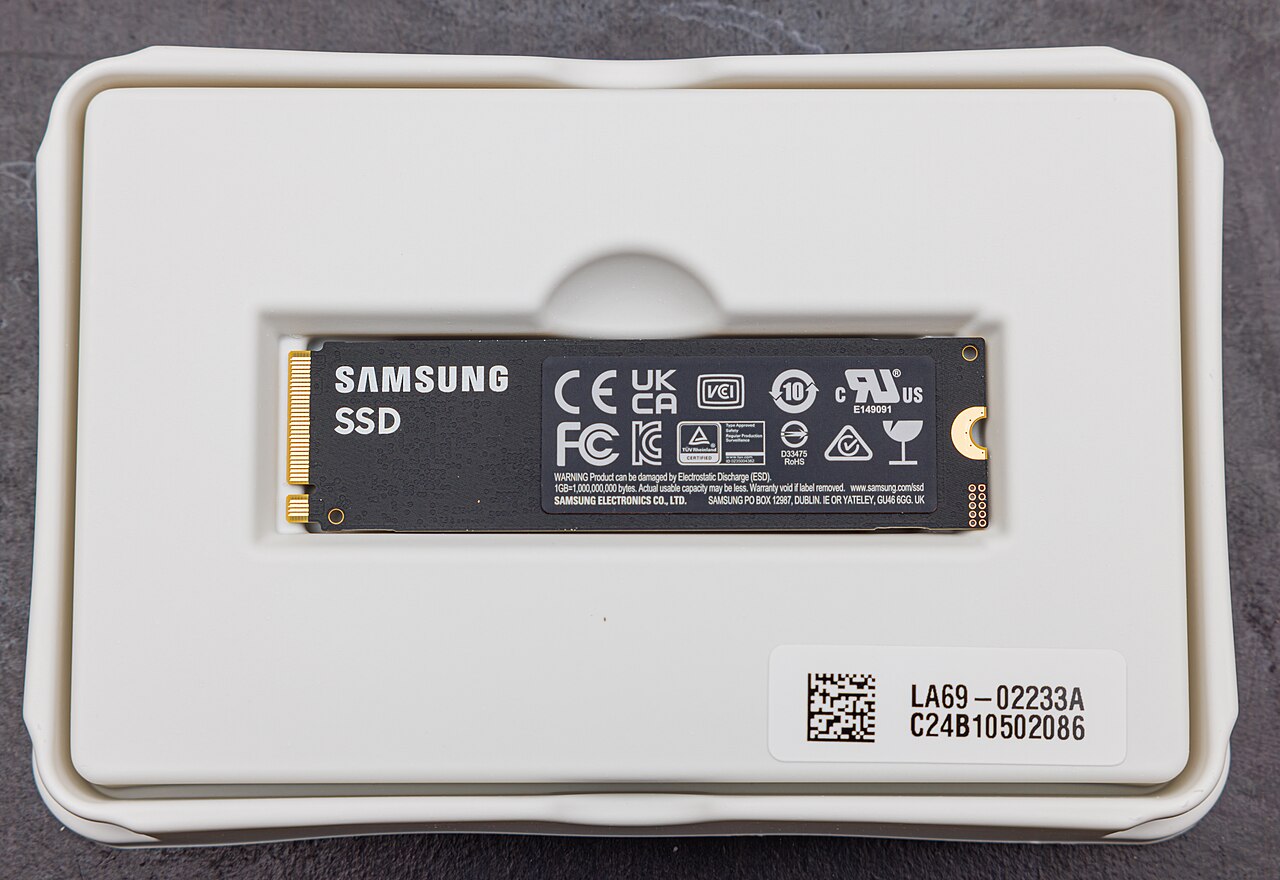
.jpg)
NVMe as a Communication Standard
NVMe, or Non-Volatile Memory Express, is an open set of standards that define how host software communicates with non-volatile memory across multiple transports, including PCI Express, RDMA, and TCP, as described by NVM Express's specifications page. It is the industry standard for solid-state drives in form factors such as U.2, M.2, AIC, and EDSFF.
The NVM Express organization is a consortium of over 100 member companies that develops and maintains the specification set, as stated on NVM Express's about page. The standards include the base specification, command set specifications, transport specifications, and a boot specification.
NVMe was created to provide high bandwidth and low latency access to non-volatile memory, making it the de facto standard for PCIe SSDs.
PCIe Lanes and Generations
PCIe lanes are the physical data paths that connect a device to the host. Each lane consists of two differential signal pairs, one for transmitting and one for receiving. The number of lanes allocated to an SSD is often indicated in its specification as x1, x2, x4, or x8.
The speed of each lane depends on the PCIe generation. Newer generations double the data rate per lane. For example, a PCIe 4.0 x4 drive can transfer data at a higher rate than a PCIe 3.0 x4 drive, assuming the same number of lanes.
When checking an SSD's speed class, look for the PCIe generation and the lane count. A drive that supports PCIe 5.0 x4 will have a higher theoretical bandwidth than a PCIe 4.0 x4 drive. The actual performance also depends on the controller and NAND flash used.
SSD Form Factors and Interfaces
SSDs come in various form factors, each with its own physical dimensions and connector. Common form factors include M.2, 2.5-inch (U.2), Add-In Cards (AIC), and EDSFF, as outlined by SNIA's SSD form factors guide. The form factor determines where the drive fits and how it connects to the system.
EDSFF, or Enterprise and Datacenter Standard Form Factor, is a family of specifications developed to address data center storage concerns. EDSFF drives share the same protocol (NVMe), interface (PCIe), edge connector (SFF-TA-1002), and pinout (SFF-TA-1009), as noted in the same SNIA guide.
The SFF Technical Work Group maintains a database of specifications for connectors, form factors, and transceivers, as described on SNIA's SFF specifications page. These specifications define mechanical, electrical, and thermal characteristics.
When selecting an SSD, ensure the form factor matches the slot available on the motherboard or server. For example, an M.2 drive fits into an M.2 slot, while an EDSFF drive requires a compatible bay.
Energy Efficiency and Reliability
Energy efficiency is a consideration for data center storage. ENERGY STAR provides certification for data center storage products that meet specific energy criteria, as explained on ENERGY STAR's data center storage page. Selecting certified products can simplify the purchasing decision regarding energy efficiency.
According to the same ENERGY STAR page, saving one watt-hour at the storage level can lead to about 1.9 watt-hours of savings at the facility level, because less power is needed for cooling and power distribution.
For reliability, organizations like Backblaze publish drive failure statistics based on large-scale deployments. The Backblaze hard drive test data page provides annualized failure rates (AFR) for HDDs and SSDs in their data centers, which can inform purchasing decisions.
| Form Factor | Typical Use | Interface | Protocol | Lane Options |
|---|---|---|---|---|
| M.2 | Client laptops and desktops | PCIe or SATA | NVMe or AHCI | x2 or x4 |
| 2.5-inch (U.2) | Enterprise servers | PCIe or SAS | NVMe or SAS | x4 |
| Add-In Card (AIC) | Workstations and servers | PCIe | NVMe | x4 or x8 |
| EDSFF E1.S | Hyperscale and enterprise | PCIe | NVMe | x4 |
| EDSFF E1.L | High-capacity storage | PCIe | NVMe | x4 or x8 |
| EDSFF E3 | Enterprise and datacenter | PCIe | NVMe | x4 or x8 |
Frequently asked questions
What does NVMe stand for?
NVMe stands for Non-Volatile Memory Express, an open standard for host software to communicate with non-volatile memory over multiple transports like PCIe.
How do PCIe lanes affect SSD speed?
PCIe lanes are the data paths between the SSD and the host. More lanes (e.g., x4 vs x2) and newer PCIe generations increase the theoretical bandwidth, allowing faster data transfer.
What is the difference between M.2 and EDSFF form factors?
M.2 is a small form factor common in client devices, while EDSFF is a family of form factors designed for data center use, offering better thermal management, serviceability, and capacity scaling.
How can a user find the speed class of an SSD?
Check the drive's specification sheet for the PCIe generation (e.g., PCIe 4.0) and the number of lanes (e.g., x4). This gives the theoretical maximum bandwidth.
Why is energy efficiency important for data center storage?
Energy-efficient storage reduces operational costs and environmental impact. ENERGY STAR certified products meet specific criteria, and saving one watt-hour at the storage level can save about 1.9 watt-hours at the facility level.